
Do you want to perform a car diagnostic with your phone but don’t know how to use the klavkarr? Whether you have an Android smartphone or an iPhone, this article provides the procedure to easily perform your car diagnostic.
Below, we present the tools required to perform a car diagnostic. First of all, you need to know where the OBD2 diagnostic socket is located in your car. To find out, check our database to locate the OBD socket in your vehicle.
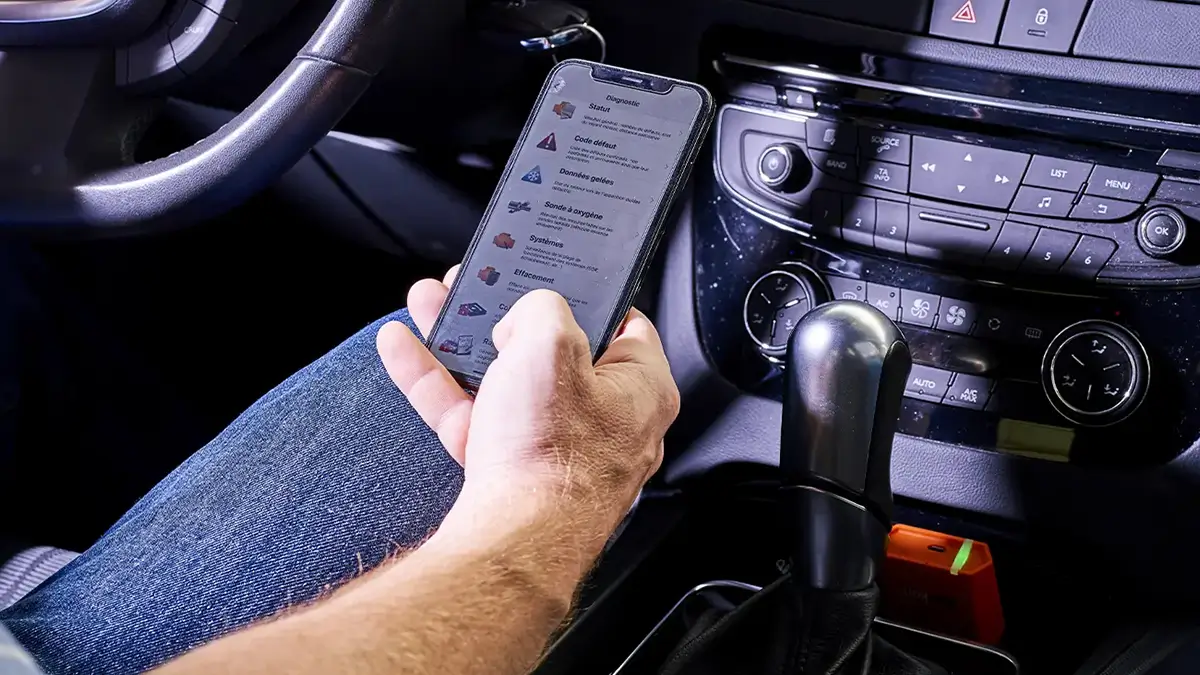
Car diagnostic with a smartphone: essential tools
klavkarr: The Bluetooth car diagnostic tool
To perform an engine diagnostic, you will first need a diagnostic tool to read the fault codes stored in the engine control unit.
The tool will detect issues such as problems with your catalytic converter, glow plugs, or crankshaft sensor, among others.
Our klavkarr diagnostic tools, entirely developed and produced in Brittany, allow you to connect to your car's OBD2 diagnostic socket.
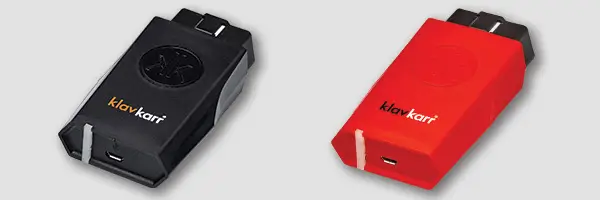
For the equivalent of a diagnostic session at your mechanic’s, you can perform as many checks as you want with our klavkarr diagnostic tool! We recommend running a scan every month to carry out a thorough check of your engine.
The klavkarr tools also enable wireless diagnostics using Bluetooth technology.
EOBD Facile: the diagnostic application
You might be wondering, it’s great to connect to the OBD2 socket, but how do you perform the diagnostic with your smartphone? How do you read the car diagnostic results?
When you purchase a klavkarr diagnostic tool, you also get our diagnostic software: EOBD Facile. Our software is available on all devices: Windows PC, MacBook, Android, and iPhone.
This application allows you to launch diagnostics, read engine fault codes, check sensor functionality, and perform multiple tests on your vehicle.
Do you travel a lot and want to perform a car diagnostic abroad? No problem, our car diagnostic application EOBD Facile is available in 27 different languages! So, if you encounter a mechanical issue with your camper van in Sweden or Turkey, you can easily communicate with local mechanics using our app!
How to perform a Bluetooth car diagnostic?
Now that you have the necessary equipment, we’ll show you how to perform a car diagnostic with Android and iPhone devices by connecting via Bluetooth.
First, note that we’ve created a video to help you perform your Bluetooth car diagnostic with your iPhone or Android. You can find it just below!
Once you have the necessary equipment to perform your car diagnostic, go to your vehicle and plug your diagnostic tool into the OBD2 socket. Ensure that your device is blinking, which indicates it is properly connected to the engine control unit.
To connect your klavkarr tool via Bluetooth to your phone, DO NOT go to the Bluetooth devices section in your iPhone’s system preferences; everything is done through our diagnostic application!
Bluetooth connection issues with your smartphone
Sometimes, the Bluetooth connection between the klavkarr tool and your smartphone may not work on the first attempt. In most cases, this is due to phone settings or a missed step rather than a hardware issue.
Bluetooth connection issues on Android

On Android smartphones, certain permissions are required to enable a Bluetooth connection with our klavkarr diagnostic tools.
To start, it can be helpful to check a few simple points:
- Is the vehicle ignition turned on?
- Is the klavkarr tool properly connected? Is its indicator light blinking?
- Is the smartphone’s Bluetooth activated?
- Does the application have the necessary Bluetooth permissions?
It’s important to note that the connection is not made from the phone’s Bluetooth settings. It is done directly through the EOBD Facile application.
On Android, the location permission is also required for Bluetooth to work with an OBD tool. It is therefore advisable to ensure that:
- Location services are enabled
- Bluetooth access is granted for the application
If the connection still doesn’t establish, it may be helpful to consult our dedicated article, which lists the main Bluetooth connection issues on Android and their most common solutions. This will help you quickly identify and resolve the problem.
Bluetooth connection issues on iPhone

On iPhone, the Bluetooth connection is generally smooth, but a few points are worth checking in case of difficulty.
The connection must be made exclusively through the EOBD Facile application, not via the iOS Bluetooth settings.
It can also be helpful to ensure that:
- Is the vehicle ignition turned on?
- Is the klavkarr tool properly connected? Is its indicator light blinking?
- Is the smartphone’s Bluetooth activated?
- Does the application have the necessary Bluetooth permissions?
If you encounter difficulties connecting your klavkarr tool via Bluetooth with your iPhone, our dedicated article presents the most common Bluetooth connection issues with iPhone and their solutions to help you quickly identify the cause of the problem.
Learn more
Share this article