
Our klavkarr diagnostic scanners have their own unique features and usage methods. That’s why we provide dedicated user manuals to help you easily run diagnostics on your vehicle.
Not all diagnostic tools work in the same way.
They each provide access to different types of data.
That’s why every klavkarr device comes with a user manual to ensure you get the most accurate diagnostics possible.
How to use your klavkarr
The klavkarr is our automotive diagnostic scanner. It plugs into your vehicle’s OBD port and collects data from the ECUs you wish to analyse. Like any tool, you need to know how to use it correctly.

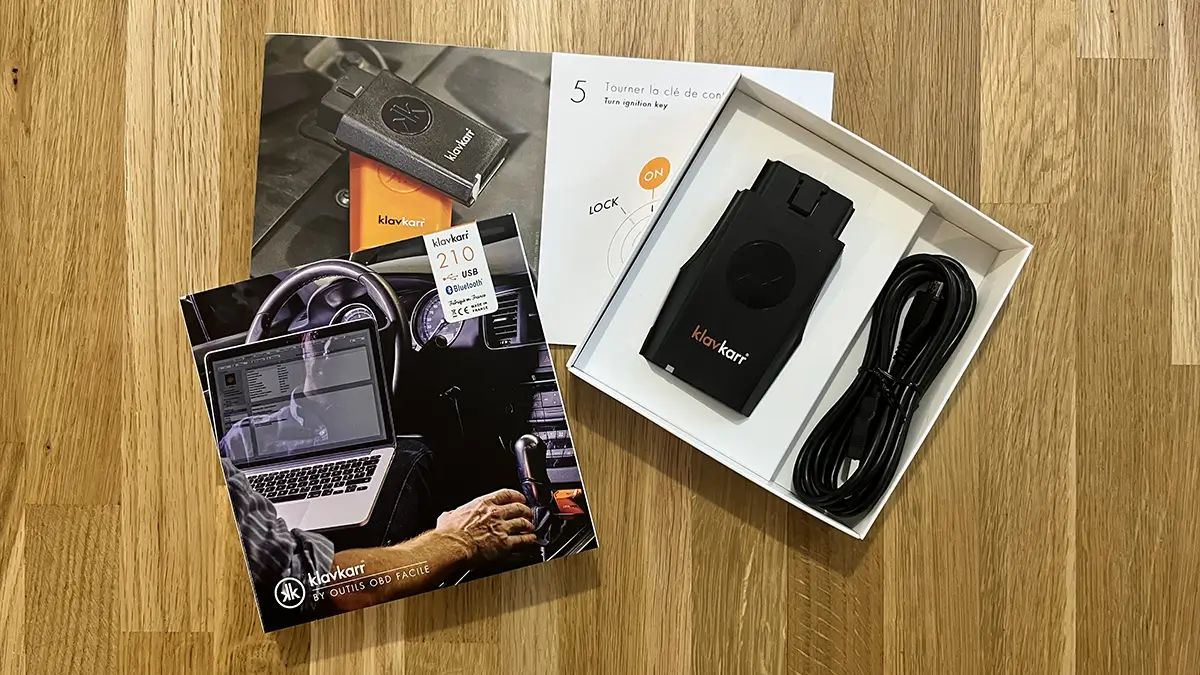
What you'll receive with your klavkarr
Along with your klavkarr scanner, your order includes everything needed to run your first diagnostic. You’ll receive:
- A quick-start leaflet for first-time setup
- A USB cable for wired connection with your Windows PC or MacBook

With all of that, you're ready to get started and perform your first car diagnostic right at home.
How to locate your car’s OBD port
Before you begin, you’ll need to find the OBD port in your car to connect your klavkarr scanner.
The challenge? It’s not always easy to find…

Its location varies depending on your car’s make and model.
That’s why we created an app (available on the App Store and Google Play) to help you locate your car’s OBD port quickly!
Hundreds of vehicles are already listed in the app — and if your model isn’t there yet, don’t worry! Our community continuously contributes, and we’re adding new vehicles all the time.
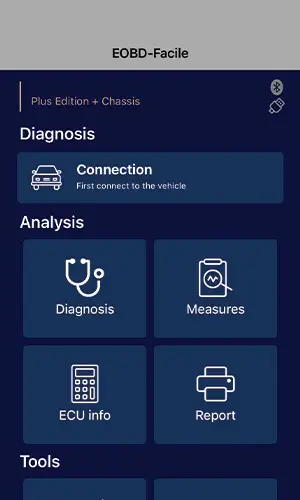
Using the EOBD-Facile mobile app with your klavkarr
We say it all the time — even the best scanner is useless without the right software.
And it's true! The scanner retrieves ECU data from the OBD port, but you still need a tool to read and interpret that data.
That’s why we created the EOBD-Facile diagnostic app.
How to run a Bluetooth car diagnostic with your smartphone
Thanks to this app, you can run diagnostics directly from your smartphone via Bluetooth. Even better — the app automatically connects to your klavkarr device. No need for pairing codes or complex setups!
You can read and clear fault codes easily, and since the connection is wireless, there’s no need to worry about cables.
Using EOBD-Facile for PC with your klavkarr scanner
Yes, our EOBD-Facile diagnostic software is also available for PC. This way, you can enjoy the comfort of a larger screen while still benefiting from a wireless connection.
In conclusion
Using klavkarr and its companion software is simple and accessible. No need to be a mechanic or engineer. The only question left: which scanner will you choose?
Learn more
Share this article