
The OBD2 USB is a type of OBD2 device with software. By connecting a USB cable to your computer, you send the engine control unit data to your diagnostic software.
However, connecting your device software requires some logistics.
Why choose this connection system over others?

What difference does a USB cable make?
With an OBD2 port in the car, you can retrieve information from the control unit. But you still need to connect to it and read its data.
There are several ways to establish the connection between the OBD2 device and the diagnostic software. One of them is the wired connection, also known as the USB connection.
Which devices are compatible?
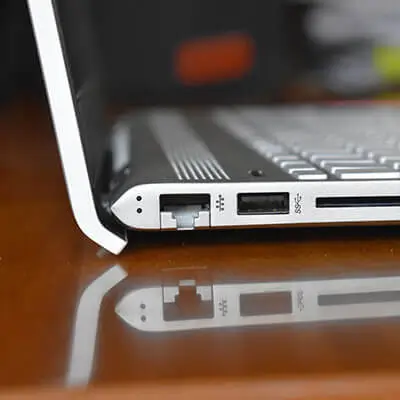
Obviously, to connect anything with a USB cable, you need a USB port. This is why OBD2 USB tools are only compatible with PCs or MacBooks.
If you want to use a recent MacBook (after 2016), make sure you have a USB adapter.
How to ensure the connection between the device and the software?
To perform your car's diagnostic, you need to connect the device to the diagnostic software. To ensure all information is transmitted correctly via the wired connection, follow these steps.
Installing the device on your computer
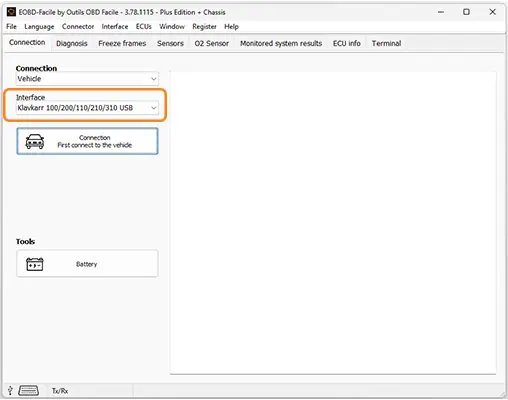
First, you need to install the OBD2 USB device drivers on your computer. To do this, you need to:
- Be connected to the internet
- Open the "Devices and Printers" manager
- Select your diagnostic device from the list of devices
- Right-click to display properties
- Select the "Hardware" tab, then "Properties"
- Choose "Change settings"
- Select "Update driver"
- Click "Browse my computer for drivers" and then "Browse"
- Select the driver you just downloaded
If your device includes more than one driver, you will need to repeat the operation for each of them.
Installing the software on your computer
After installing the device on your computer, it's time to install the diagnostic software. As with the device, follow these steps:
- Download the diagnostic software
- Run the software
- Accept the terms of use
- Follow the installation steps
Connecting the device to the software
As with the other steps, follow these instructions:
- Connect the device to your car's OBD port
- Plug the USB cable into the device
- Connect the USB cable to your computer
- Start your car or simply turn on the ignition
And that's it! After following all these steps, you can start diagnosing your car!
In conclusion
The OBD2 USB allows you to diagnose your car using your laptop. Despite the lack of mobility due to the USB cable, this solution ensures communication between the device and the software without worrying about network issues.
All while enjoying the comfort provided by the size of your computer screen.
Learn more
Share this article