
The service/maintenance light has turned on in your Dacia. Have you performed the maintenance on your car? If not, you need to change the engine oil, either by yourself or by visiting a garage. If you have already done so, then you now need to reset your Dacia Sandero.
Supported models: Dacia Sandero, Sandero 2, Sandero 3, Sandero Stepway, Duster, Duster 2, Logan, Lodgy, Dokker, Jogger – All petrol, diesel, and LPG engines (TCE 90, DCI 110, DCI 115, 1.5 dCi)
To turn off the oil service light on your Stepway or Duster, the first thing to determine is your car’s manufacturing year. Depending on the year, the reset procedure is either manual or electronic..
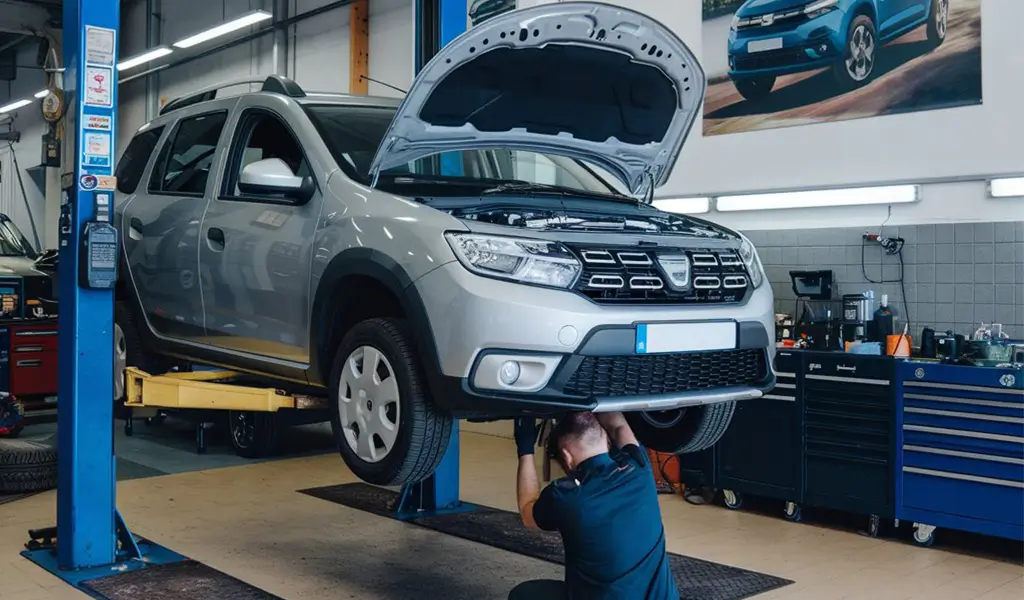
What does the maintenance light look like on a Dacia ?
The maintenance counter is designed to remind you of the importance of servicing your car, especially performing an oil change. Depending on your vehicle’s engine type and the oil used, the oil change should be carried out every 15,000 / 20,000 / 30,000 km... This mileage is determined by the manufacturer at the factory..
On Dacia Sandero, Stepway, Duster, and Lodgy, you can identify the service light :
- a wrench icon
- an oil can symbol
- a multifunction icon or zigzag warning light (Dacia)w/li>
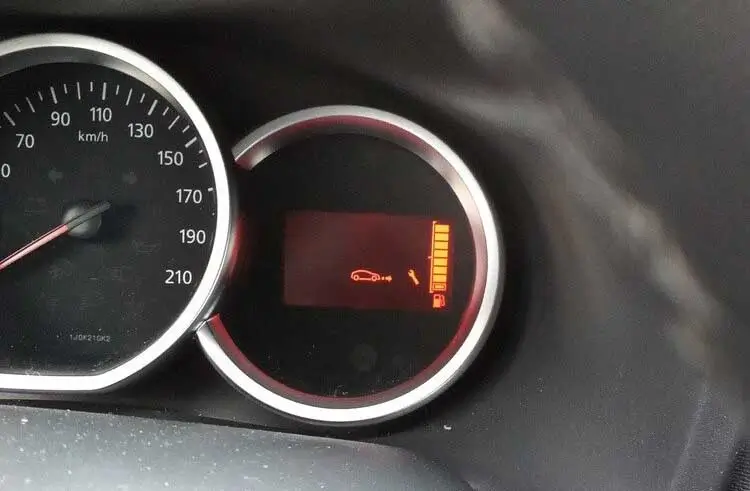
Reset and Service Light Reset on Dacia Sandero / Duster from 2017 - 2018
Clearing the Oil Service Light via Electronics
Since 2017, the manual reset procedure is no longer available on Dacia vehicles. The manufacturer has removed the ability to reset the maintenance reminder manually.
The only solution to clear the oil service light on these models (Sandero Stepway, Duster, Lodgy, Dokker) is to use a diagnostic tool.
With the Klavkarr 210 or 310 diagnostic scanner, there's no need to visit a mechanic—reset the service light yourself !
How to reset service light ?
For all recent Dacia models, the reset process is electronic :
- Dacia Sandero 2017 / 2018 / 2019 / 2020 / 2021 / 2022
- Dacia Sandero Stepway 2017 / 2018 / 2019 / 2020 / 2021 / 2022
- Dacia Duster 2017 / 2018 / 2019 / 2020 / 2021 / 2022
- Dacia Logan 2017 / 2018 / 2019 / 2020 / 2021 / 2022
- Dacia Lodgy 2017 / 2018 / 2019 / 2020 / 2021 / 2022
- Dacia Dokker 2017 / 2018 / 2019 / 2020 / 2021
- Dacia Jogger
It’s very easy with the EOBD-Facile software– just follow these steps :
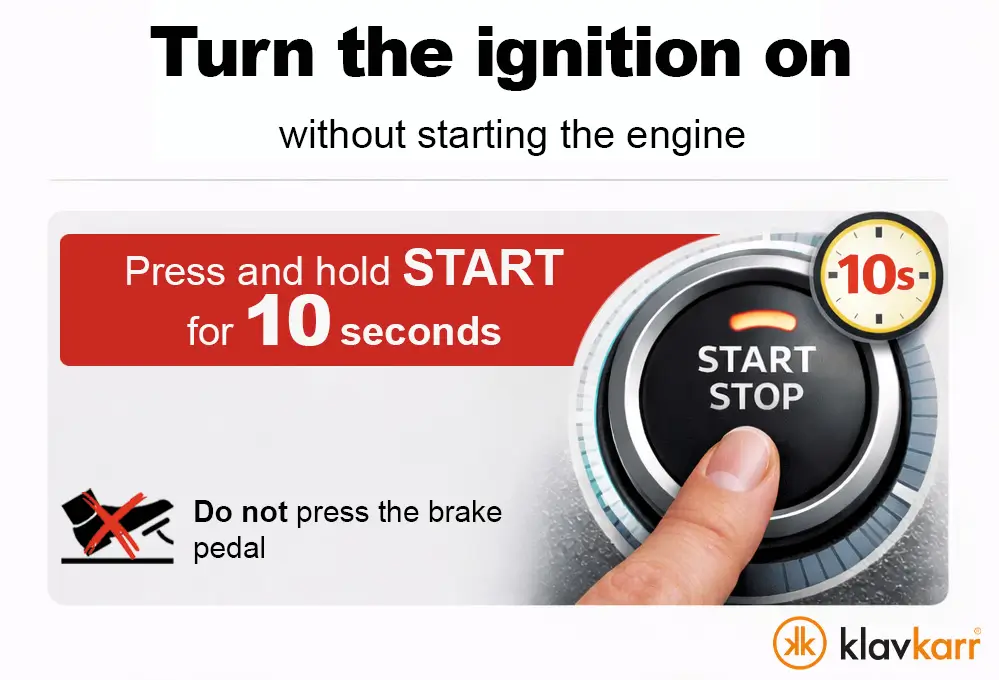
- Switch on the ignition. For vehicles equipped with keyless start, press and hold the start button for approximately 10 seconds without pressing the brake pedal to avoid starting the engine.
- Connect to your Klavkarr scanner
- Select the vehicle brand: "Dacia"
- Choose your vehicle model: Sandero, Duster, Lodgy, etc.
- In the ECU selection screen, choose "Maintenance Interval ECU"
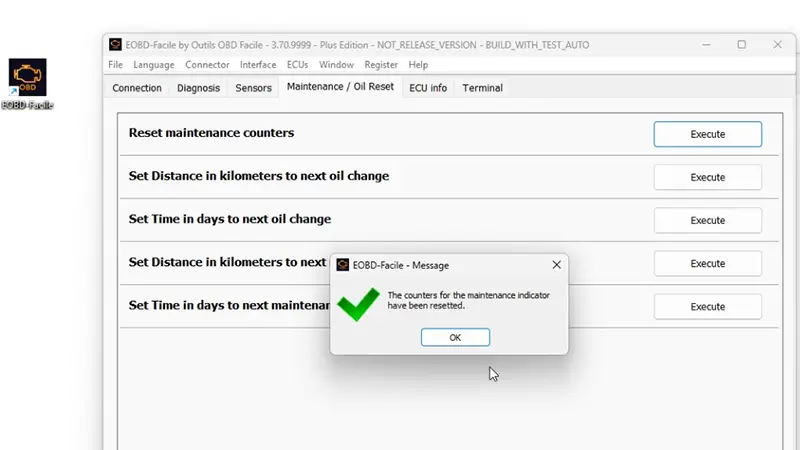
- Go to the "Maintenance/Oil service" tab
- Click "Run" next to "Reset Maintenance counters"
- Confirm by clicking "OK" in the pop-up window
- Done! The oil service light has been cleared, and the maintenance counter has been reset.
Resetting the Oil Service Light on Dacia Vehicles Before 2017
Manually clearing the service light
For Dacia models produced before 2017, the procedure to turn off the oil service light and reset the maintenance counter is manual. The process is quite simple.
Most of the time, you just need to perform an action using the **pedals** or the **stalk** to turn off the warning light.
Reset the Maintenance Light on Your Dacia
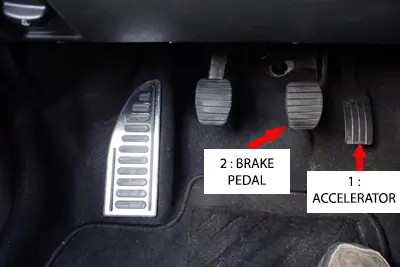
- Turn on the ignition while keeping the accelerator pedal pressed (Step 1).
- Within the next 6 seconds, press the brake pedal three times while keeping both pedals pressed (Step 2 + Step 1 still held).
- Turn off the ignition while still holding both pedals (brake and accelerator) down (Step 1 + Step 2).
- You can now turn the ignition back on and restart the engine. The oil service light is now cleared.
How do you reset the service light after an oil change on a Dacia Sandero?
For Dacia Sandero, Stepway and Duster models from 2018 to 2023, you must use a car diagnostics scanner such as the Klavkarr 210 or 310. Connect the tool to the OBD port, select your Dacia model, go to the “Service Interval ECU” menu, then start the maintenance counter reset. The manual pedal procedure no longer works on these model years.
Why does the service light stay on after maintenance?
The warning light remains on because the maintenance counter has not been reset. Performing an oil change and replacing the engine oil is not enough. You must also reset the counter electronically using a car diagnostics scanner for recent models, or manually using the pedal procedure for older models. Without this reset, the service light will remain displayed on the dashboard.
What is the difference between oil light, service light, inspection and maintenance on Dacia?
These four terms refer to the same maintenance warning light on Dacia vehicles. “Oil change” refers to engine oil replacement, “inspection” and “maintenance” refer to the vehicle’s scheduled servicing, and “service” is the technical term used by the manufacturer. The warning light may appear as a wrench, an oil can, or a multifunction zigzag symbol depending on the Sandero, Stepway or Duster model.
Can you reset the oil service counter without a diagnostics scanner on Dacia?
Only on Dacia models produced before 2017. For these older Sandero, Stepway, Duster and Logan models, you can clear the warning light manually using the accelerator and brake pedal procedure described in this article. However, models from 2017–2018 onwards (Sandero 2, Sandero 3, Duster 2, Jogger) require an OBD car diagnostics scanner to reset the service light and maintenance counter.
Find Out More
Share this article